Reasoning Effort
Choose how much a reasoning model reasons before it answers, through the chat completions API or the Text Playground.
Some models in the AI Studio catalog reason through a request before they write their answer. For models that support it, you can set how much reasoning the model does with the reasoning_effort field of a chat completions request, or with the Reasoning Effort setting in the Text Playground.
Find a Model That Supports Reasoning Effort
Each model's supported_reasoning_efforts value, returned by the List base models API, lists the reasoning effort levels it accepts:
- A list of levels, such as
["low", "medium"]: the model accepts any of those levels inreasoning_effort. - An empty list (
[]): the model reasons, but it does not accept a reasoning effort level. null: the model is not a reasoning model.
To list the reasoning models you can run inference with, call the List base models API with both filters set, replacing API_KEY with your Hyperstack API key from the API Keys page:
curl "https://console.hyperstack.cloud/ai/api/v1/base_models?reasoning_supported=true&inference=true" \
-H "api_key: API_KEY"
The response includes models whose list is empty. Use a model whose supported_reasoning_efforts contains at least one level, and pass its hf_repo value as model in your request.
There are seven levels, from lowest to highest: none, minimal, low, medium, high, xhigh, and max. Each model accepts only some of them.
Set the Reasoning Effort
Add reasoning_effort to your request with one of the levels the model accepts. This example uses zai-org/GLM-5.2, which accepts high:
curl -X POST "https://console.hyperstack.cloud/ai/api/v1/chat/completions" \
-H "Content-Type: application/json" \
-H "api_key: API_KEY" \
-d '{
  "model": "zai-org/GLM-5.2",
  "messages": [
    {"role": "user", "content": "What is 17 multiplied by 23?"}
  ],
  "reasoning_effort": "high"
}'
Reasoning effort works with streaming and non-streaming requests. If you leave reasoning_effort out, no reasoning effort is sent and the model uses its own default reasoning behaviour, which varies by model.
Read the Model's Reasoning
When the provider returns the model's reasoning, it is passed through as the provider sends it. Most models return it in choices[0].message.reasoning, separate from the answer in content. Some return it in reasoning_content, or inline in content between <think> tags. The usage.completion_tokens_details.reasoning_tokens value shows how many tokens the model spent reasoning. These tokens are part of completion_tokens.
Reasoning tokens count toward max_tokens. If the model uses all of max_tokens while reasoning, content is null. Raise max_tokens or lower the reasoning effort to leave room for the answer.
For the full response schema, see Create chat completion.
Errors
A request that sets a reasoning effort the model does not accept returns one of these errors.
| Status | Code | Cause |
|---|---|---|
400 | reasoning.not_supported | The model does not accept a reasoning effort level. The message names the model, such as Model 'deepseek-ai/DeepSeek-R1-0528' does not support reasoning effort. |
400 | reasoning.effort_not_supported | The model does not accept the level you set. The message lists the levels it does accept, such as Model 'zai-org/GLM-5.2' does not support reasoning effort 'low'. Supported: high. |
422 | The value is not one of the seven levels. |
Reasoning Effort in the Text Playground
When you select a model that supports reasoning effort in the Text Playground, a Reasoning Effort dropdown appears with the other parameters in the Settings section. It lists only the levels that model accepts, from lowest to highest. The none level is shown as Off.
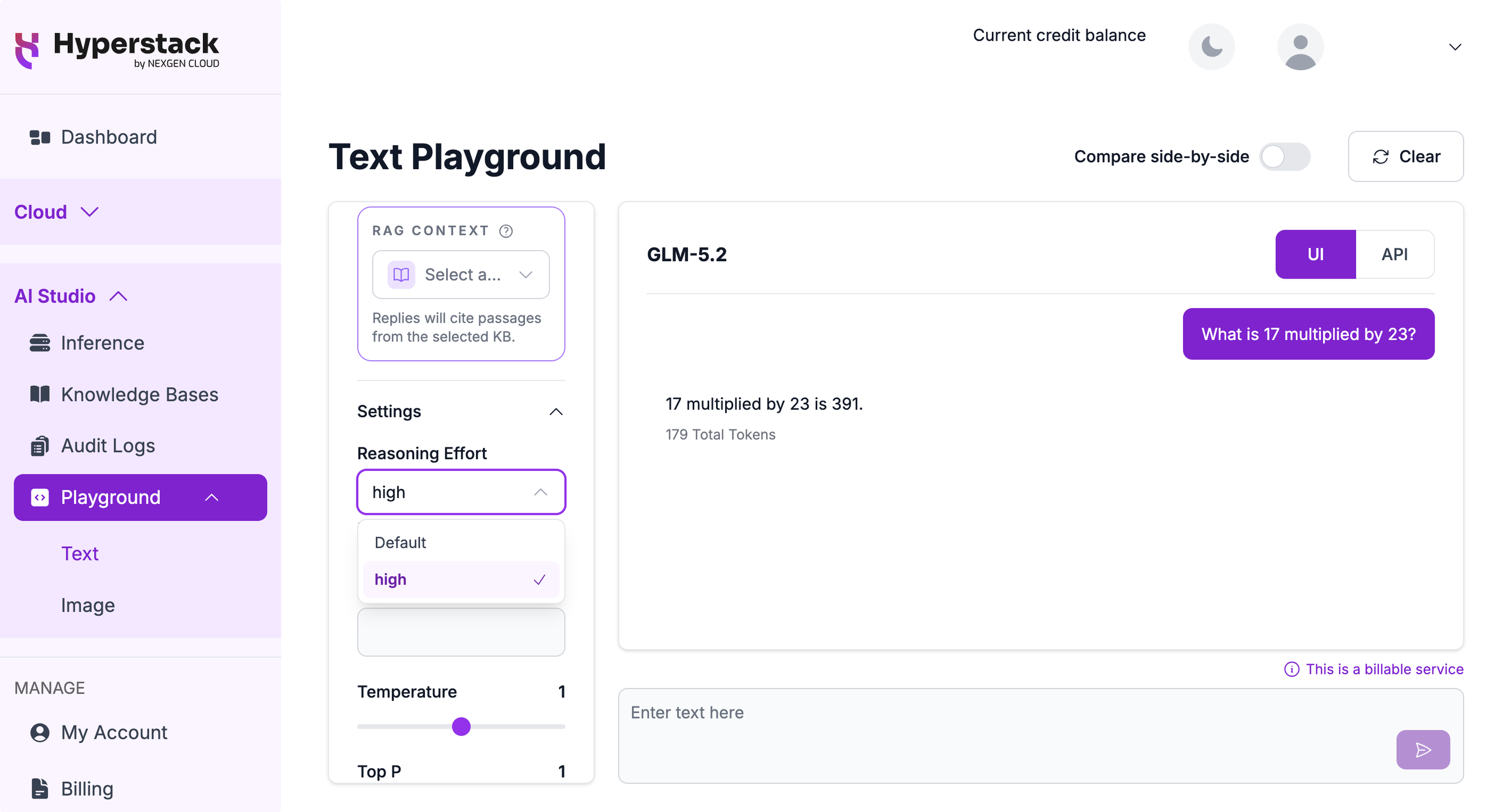
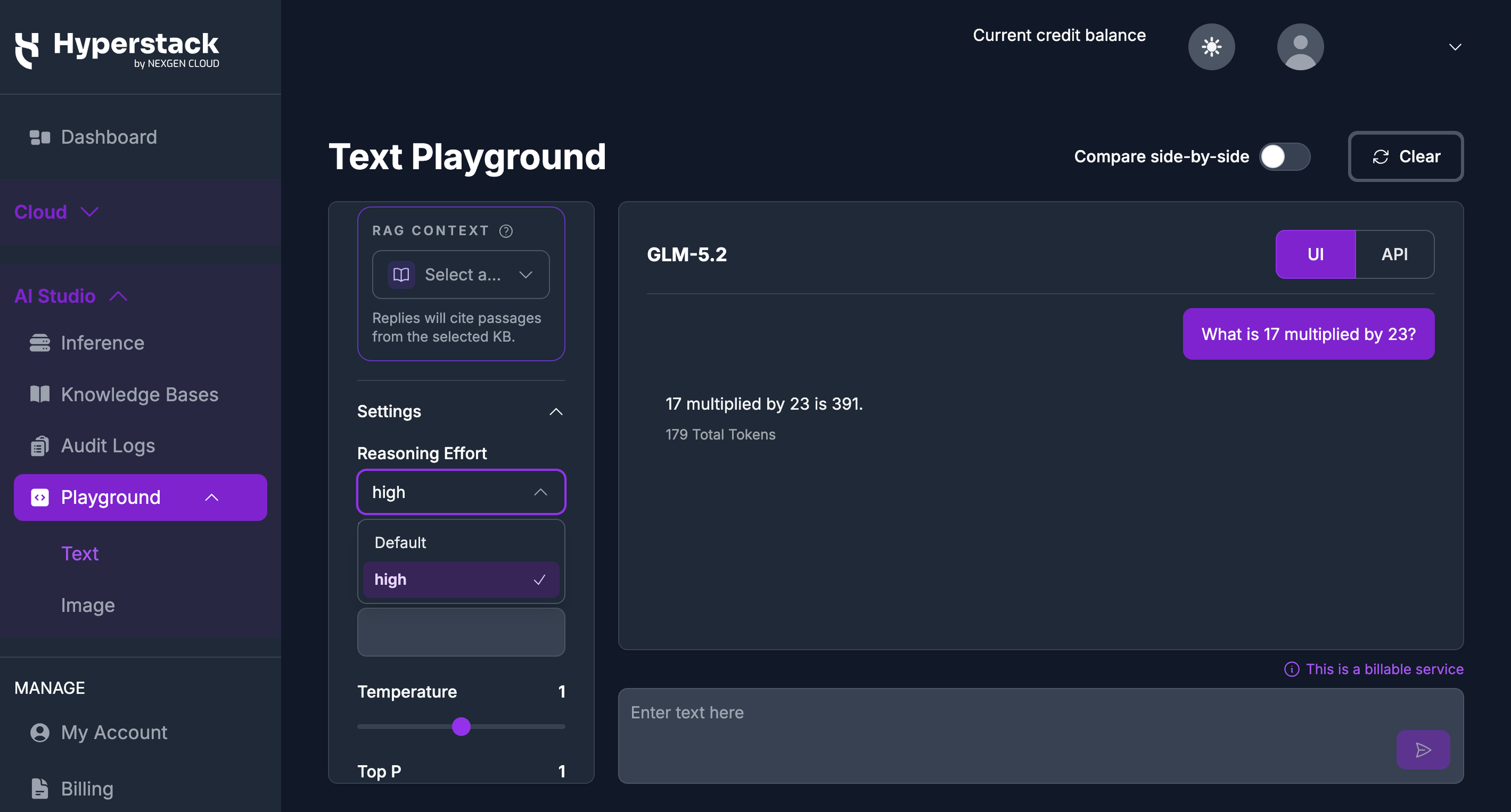
The dropdown starts at Default, which sends no reasoning effort, so the model uses its own default reasoning behaviour, which varies by model. If you switch to a model that does not accept the level you chose, the setting goes back to Default. In Compare side-by-side, each model has its own Reasoning Effort dropdown.